BLOG
10 Important SEO tips for photographers

As a photographer, having a beautiful website to showcase your work is crucial for your business. It's how you attract potential clients. If you are looking to build your first photography website or update your existing one, you have surely come across the term "SEO". Keep reading to learn what SEO is, how it works, and what SEO tips photographers can use to strengthen the performance of their Pixieset website.
What is SEO
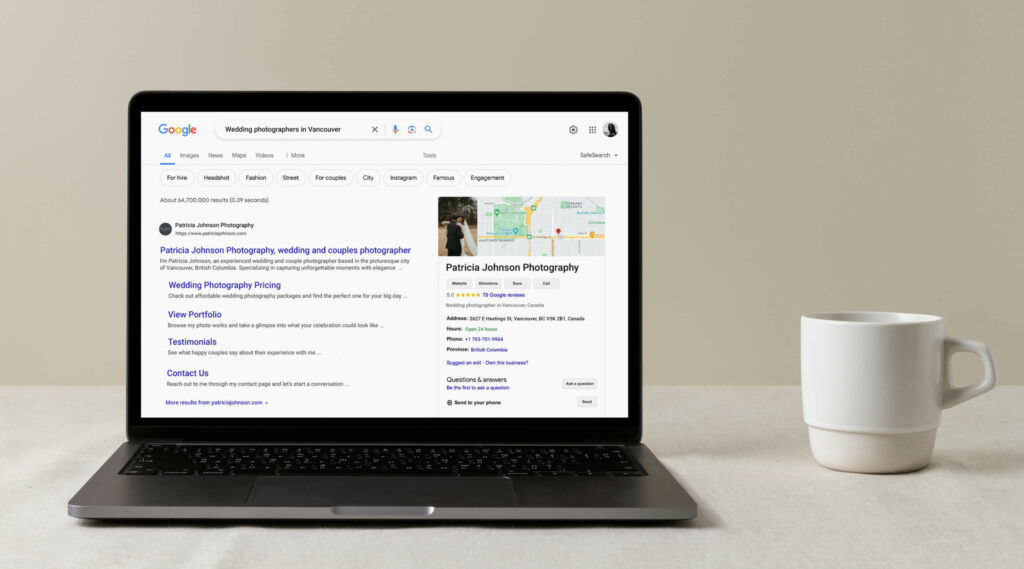
Search Engine Optimization (SEO) is the process of adjusting your website’s settings and content to increase its chances of being discovered online by people searching for relevant topics and information. When you optimize your website for search engines, such as Google, Bing, Yahoo!, you make it more accessible for them to "crawl" your site, read your content, and show it to people searching for a photographer.
As a website owner, your goal is to make your photography website SEO friendly so that those searching for your services can easily find you. Below, we have listed 10 SEO tips for photographers to start implementing today on their site.
1. Write SEO friendly page titles, descriptions and URLs
Your photography website most likely consists of several pages. It’s important that each page has a distinctive title and description so they don’t compete with each other for the same keywords. The title and description serve as a summary for the content presented on the page, helping search engines determine whether your page is relevant to a person’s online search. Be intentional with the titles, descriptions, and URLs you use for your site pages. Include keywords when it’s relevant, but don’t include all your keywords into each page description, as this can negatively affect your SEO.
For example, if you are a wedding photographer instead of simply listing keywords like "wedding, photography, Canada" in your page description, consider using phrasing that reads more organically, i.e. "Wedding and couples photographer with a fine-art approach, based in British Columbia." This will increase your chances of showing up in search results and getting discovered by new prospective clients.
The workflow inside Pixieset: Pixieset makes it easy to automatically generate page descriptions with the help of AI. First, go to your Pixieset Website Dashboard > SEO Manager > AI Profile to fill out your AI profile. Describe your brand, list your services, and add keywords your clients might search for (e.g., “Wedding and couples photographer with a fine-art approach, based in British Columbia.”). This helps the AI create descriptions that reflect your brand. Then, go to the Pages section to generate page descriptions with one click.
2. Add alt text to images
Search engines like Google have the capability to categorize and include not only your written content but also your images in their search results. To help Google index your images you will need to add alt text to each image. It helps search engines "understand" what’s portrayed in your images, and recommend it to people who search for a photographer. Alt text is also read aloud by programs called screen readers, which are used by people with visual impairment and low vision. Hence, adding alt text to your images, helps make your website more accessible for everyone.
When writing alt text keep it short and simple, up to 125 characters. Opt for unique alt text for each image. It can include the image subject, location, or theme of the photoshoot. Imagine that you’re describing the photo to a friend who has never seen it.
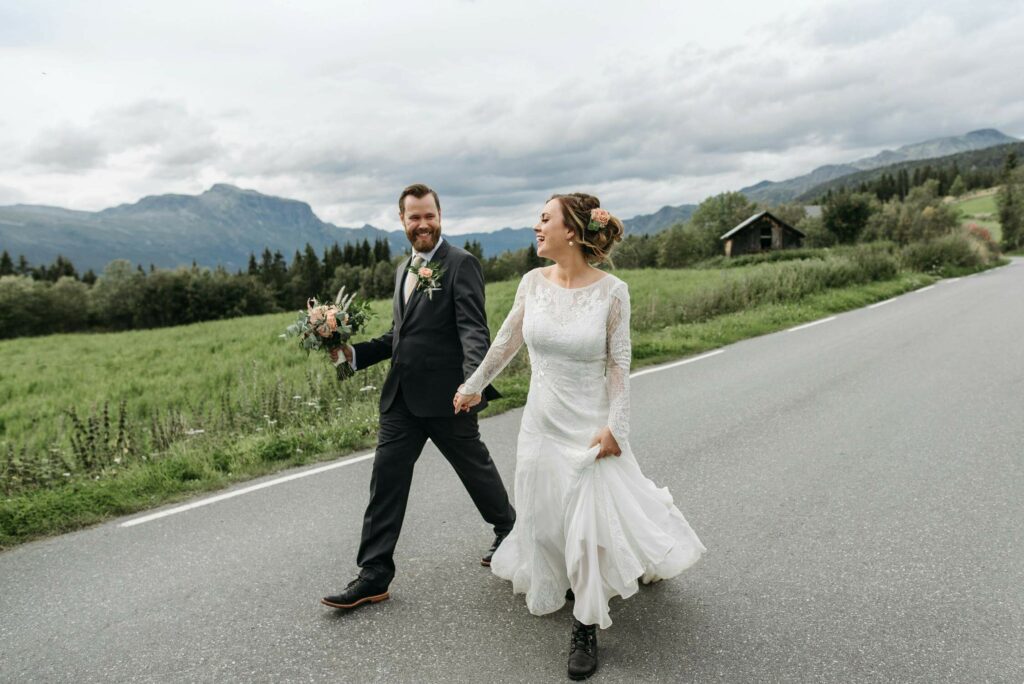
For example, the alt text for this photo could be "Bride and groom holding hands and walking on the road, with a green field and the Dolomite mountains in the background."
The workflow inside Pixieset: AI feature inside Pixieset works also for writing image alt text. Go to SEO Manager > Images, select an image, and click to generate alt text. You can generate alt text for individual images or toggle on the option to Automatically generate alt text for all current and future photos. Once it's ready, simply re-publish your site. Learn how to add and generate alt text for your site images.
3. Optimize your images for faster loading
Your website is where clients fall in love with your work. Optimizing your images helps your site load faster, makes browsing feel effortless, and helps more people discover your photography — without losing image quality.
Here are a few additional tips that will help you keep your website loading fast:
- Keep your landscape photos at maximum 2500 pixels width and your portrait photos at 1500 pixels width. This small tweak to the size of the photos will significantly improve your site’s loading time.
- Use the correct file format for your images. Use JPEG for photographs, PNG for images with transparency like your logo or personalized icons. Use GIFs sparingly, these are heavy and will make your site load slower. Learn more about size and format requirements for Pixieset Website.
- Limit the amount of photos you add to a page to 30. The more photos you have on a page, the heavier the page becomes, and the slower it loads. Remember, your website is a curated representation of your work. You don’t have to include your entire portfolio to make an impression.
- Optimize your files. Make sure you optimize any photo, video, GIF or PNG that you upload to your site, so they are web friendly. You can use tools like Jpegmini, Tinypng, or simply export your photos from Lightroom with web settings.
The workflow inside Pixieset: When your website is created with Pixieset, all the images you upload are automatically optimized for quick loading and display. You can also choose to import your images directly from your photo collections. These will also be automatically optimized when shown on your Pixieset site.
4. Connect a custom domain
A custom domain is a unique, branded web address used to access your site. Having a custom domain with your business name will increase your visibility in search results. It also signals trust for potential website visitors, as the domain name is recognizable. You can purchase your own custom domain name from providers like GoDaddy and connect it to your Pixieset Website.
The workflow inside Pixieset: With Pixieset you get a free domain for your website which goes something like yourusername.mypixieset.com. Though you can use the default domain, it is recommended to connect a custom one to your site. To do that, go to Settings > Domain and follow the provided instructions to connect a custom domain that you own. In order to connect a custom domain to Pixieset Website, you need to be on a paid Website plan. Learn more here.
5. Check how your site works on mobile devices
Today, over 60% of world traffic is accessed via mobile devices. Ensure your website looks good and works smoothly on mobile devices (phones, tablets). This way you guarantee that your mobile site visitors have a great experience as they browse through your pages. It also impacts your ranking and online discoverability, due to Google’s Mobile-First Indexing.
When you review whether your website is mobile-friendly, focus on font sizing and clickable areas. Your text should remain readable on smaller screens and your buttons should be large enough so it’s easy to click through.
The workflow inside Pixieset: You can easily preview how your site appears on tablets and phones. Inside your website dashboard, click on the Preview button and switch between different device views. If you use Flex Blocks, you can customize the layout design of each block, for tablet and mobile individually. Learn more here.
6. Connect Google Analytics to your website
Improving your website’s performance is easier when you have data. Site analytics can help you understand how clients find your website, how much time they spend on particular pages, what information they look at before sending an inquiry or booking a session.
Google Analytics is one of the most popular and commonly used tools by website owners. It helps you collect and analyze data from your website. For example, Google Analytics can show you if a certain page or blog post brings in a lot of visitors. This can prompt you to add a more prominent call to action on that particular page to boost conversions. It also helps you understand what type of information is appealing to your website visitors. If you haven’t yet, make sure you create a Google Analytics account and connect it to your website.
The workflow inside Pixieset: Once you have a Google Analytics account and a tracking ID, go to your Pixieset Website dashboard. Click on Settings > Tracking & Analytics and enter your Google Analytics ID. Shortly after, Google Analytics will start showing data about your website visitors, allowing you to monitor and gather valuable information. Learn more about setting up Google Analytics for your Pixieset Website.
7. Get started with blogging
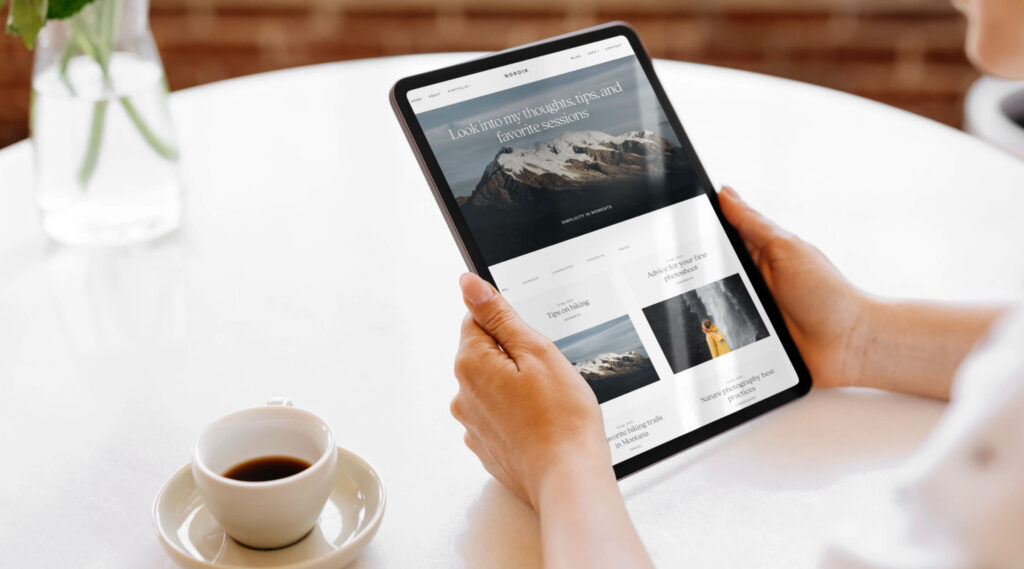
While your portfolio showcases your photography work, blogging serves as a direct line of communication with potential clients, and can significantly increase the visibility of your business online. Having a blog on your website helps improve your search ranking since there is more content for search engines to index, which can be matched with search queries.
To attract more clients through your photography blog, choose topics your audience cares about and don’t forget to use relevant keywords. Tools like Google Keyword Planner and SEMrush can help you find popular photography-related keywords, while Google Trends can help you keep an eye on relevant topics.
When planning your blog content, think of information that will always be relevant and can help your potential customers. For example "Outfit ideas for an outdoor portrait session", "How to plan an elopement in Pacific North West", etc.
The workflow inside Pixieset: Your Pixieset website comes with an integrated blog. To add a blog to your website, click on +Add page in your site dashboard and select the Blog option. When creating a blog post, you can upload photos directly from your Pixieset galleries and use predefined blocks to structure your content. If you want a more unique approach to how you present your work on the blog, we recommend using Flex Blocks. Learn more about blogging for photographers.
8. Get backlinks to your website
Every time a website or photography blog includes a link to your site — a backlink is created. Backlinks are like votes of confidence for your website from other sites, and help search engines perceive your site as trustworthy. There are two types of backlinks: internal and external.
Internal backlinks are links on your site to your own pages or blog posts. They help search engines better understand how your website is organized. As a rule, when writing a new blog post, try to include links to existing pages and relevant articles on your site, to create new, internal backlinks.
External backlinks are links that come from other websites and platforms, such as social media, online magazines, photography directories, etc. The more popular the external website/platform is, the better quality your backlink will have. A great way to get backlinks to your website is to get featured in online magazines, have industry vendors and partners mention your brand and link to your site.
The workflow inside Pixieset: Buttons are the common way to add links to other pages on your website, however your images and text can also serve as links. To add a link to a word or a selection of words, highlight the desired text, click on the Link icon in the toolbar and input the URL you want visitors to access. To add a link to an image, click on the image to access its settings, go to On Click > Link and add your URL. Learn more about adding links to your website
9. Submit your sitemap to Google
A sitemap is a file that includes information about your site structure, which helps search engines crawl and index your website effectively. With many website platforms, you’d need to manually generate your sitemap and submit it to Google for indexing — but if your website is on Pixieset, this is done automatically for you.
It's important to note that when you first publish your website, it will take some time for Google to crawl and index your pages so they appear in search results. While this typically takes a few weeks, occasionally it may take a bit longer. To speed up the process, you can submit your sitemap to Google Search Console. By doing so, you’ll gain access to valuable insights, such as your indexing status, crawl errors, etc, that will help you address any issues impacting your SEO performance.
The workflow inside Pixieset: If your website is built with Pixieset, we automatically generate and make the sitemap available for search engines. To access your sitemap, check this article for details. Learn how to submit your sitemap to Google Search console here.
10. Use the SEO Manager inside Pixieset
To make SEO an easier task for you, we created the SEO Manager inside Pixieset Website. It is a centralized dashboard where you can quickly review critical settings that influence your site's SEO performance. Watch this video tutorial to help you get started.
Here are the sections you will find inside the SEO Manager:
- Site Overview: Gives you a snapshot of your SEO status and how your site appears in search results.
- Global SEO: Controls how your website appears in search engine results. Make sure to fill out the fields to improve your site's visibility and attract more visitors.
- SEO for Pages: Provides quick access to edit or add titles and descriptions for each page on your site, to make them more SEO friendly.
- SEO for Images: One convenient place with all your images, so you can add alt text. Use AI to generate alt text for individual images, or toggle on the option to have alt text automatically added with the power of AI to your current and future photos. This option is available on select upgraded website plans.
- Site Audit: Helps you identify and fix common problems that affect your site’s SEO. This includes checking for broken links or any images that are missing Alt Text. The SEO Manager will provide you with a direct link to the page and block that requires your attention, so you can make the necessary edits.
- AI Profile: Fill out this section to help AI better understand your photography business and generate more relevant descriptions. This option is available on select upgraded website plans.
SEO is an ongoing process that requires consistency. While getting results may take time, the long-term benefits are worth it. Start with small steps, track your site’s analytics and adapt your content based on your findings. We hope the above list helps you get started on your journey of an SEO friendly website.
Are you new to Pixieset? Get started today and create a free account.

 Website