BLOG
Introducing Coupon Banner

Promote sales with a display banner in Gallery
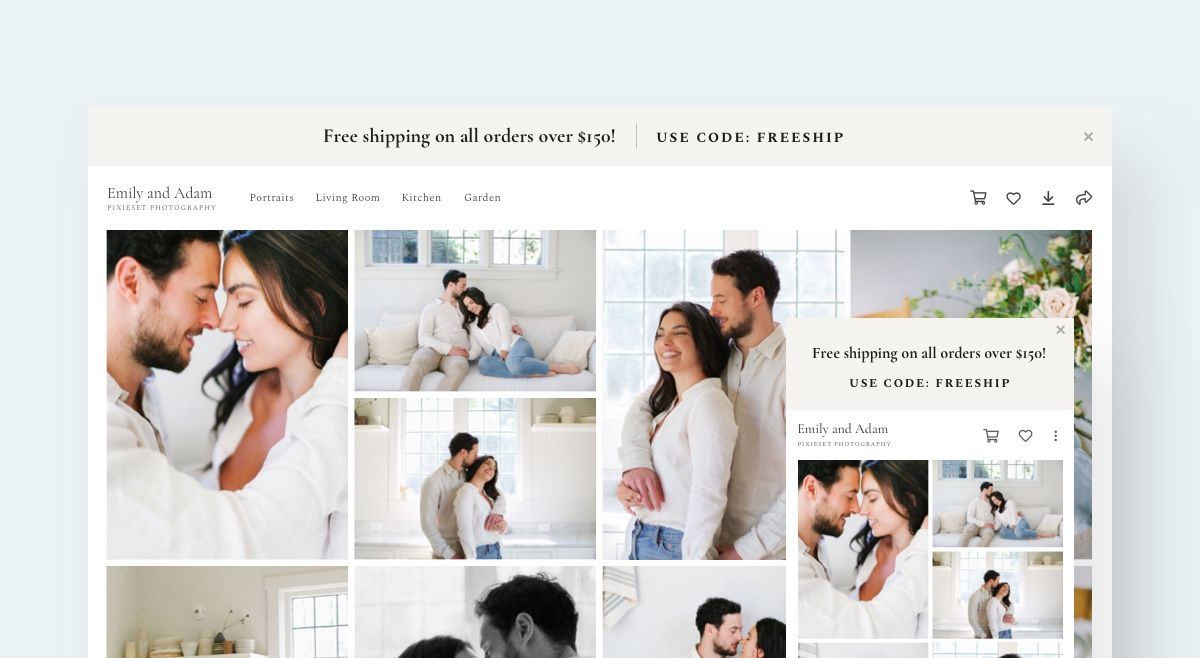
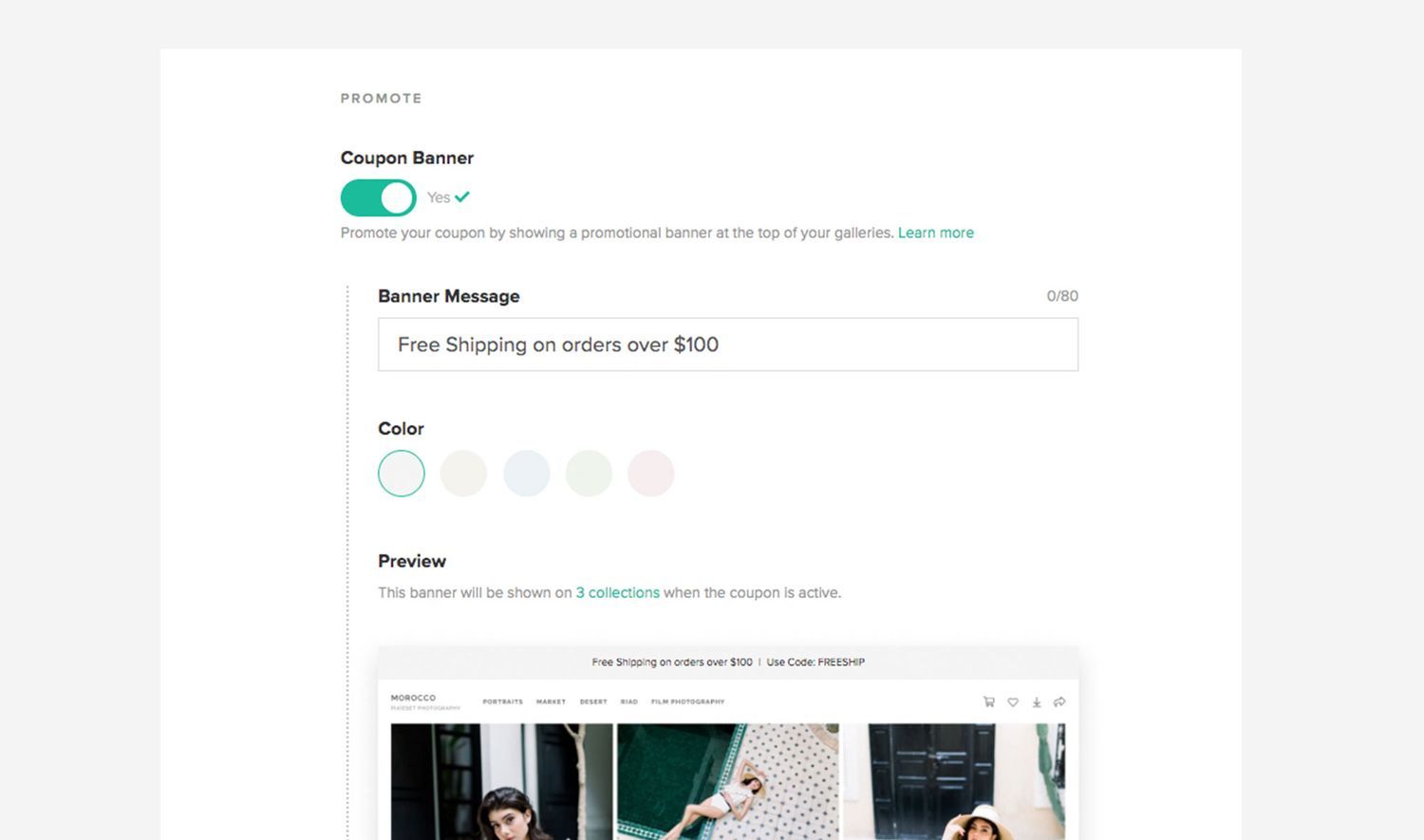
The new Coupon Banner is an easy and effective way to promote sales in your Store, allowing you to display a promotional message at the top of your galleries. You can customize the colors to work with your brand and photos, and even schedule the banner in advance.
Promote Coupon with a Coupon Banner
To create a Coupon Banner, go to your Store dashboard, and click on Coupons > Create New. Scroll to the Promote section, you will see the option to turn on a Coupon Banner for this coupon. You can enter a banner message, choose an accent colour, and see a preview of how the coupon will show up in a gallery.
Schedule your coupons
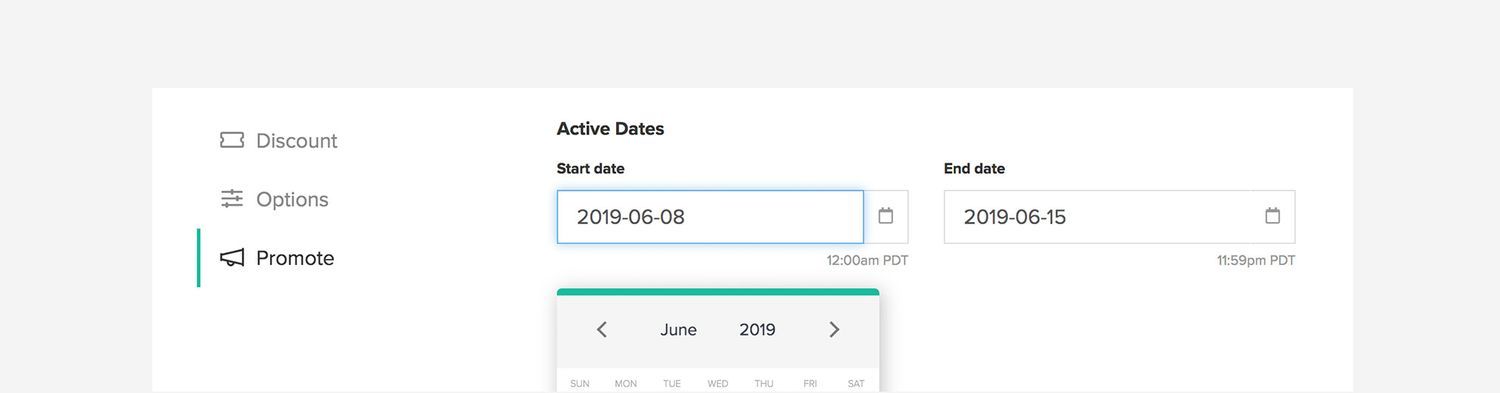
Promoting a coupon for a special occasion? Easily schedule a start date and an end date to the coupon, this will also determine the period in which the banner will appear in the gallery. Thinking of offering a Father's Day sale? Simply set it in place now and let it run.
New look for Coupons
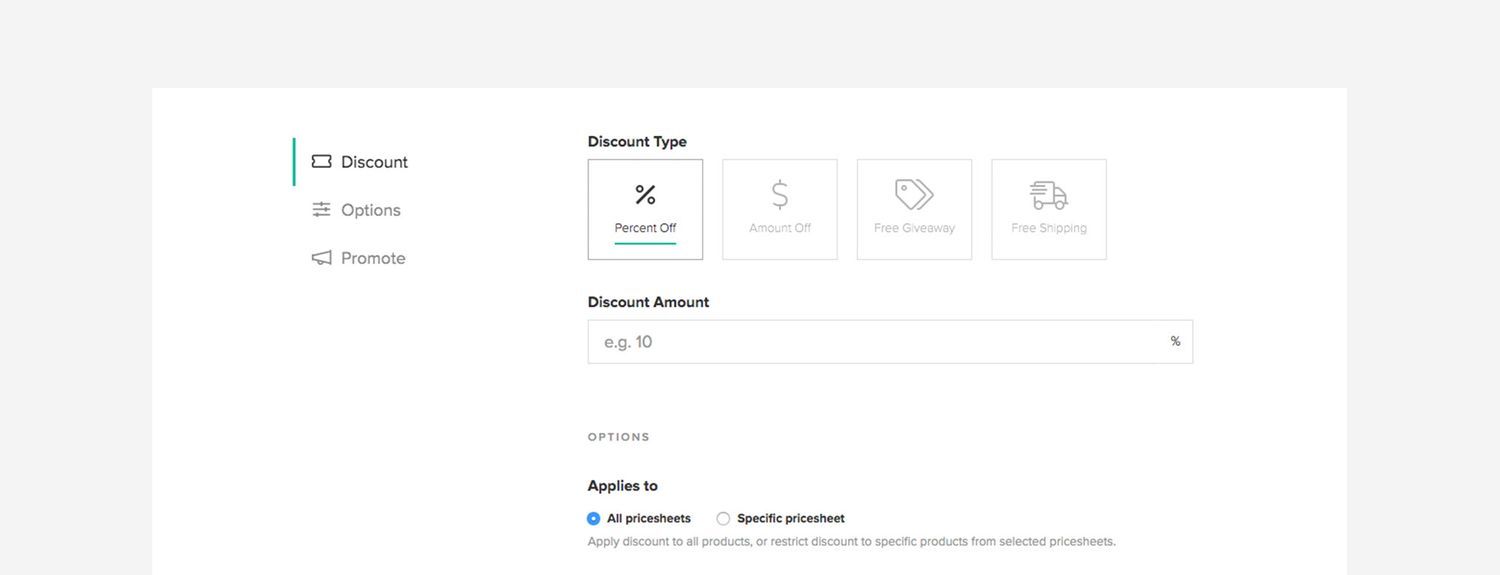
The coupon page also got a makeover to make it easier for you to create different types of coupons and discounts. Offer Free Shipping, Buy One Get One, and other discounts easily with a few clicks.
As always, let us know if you have any feedback or suggestions!
- The Pixieset Team

 Client Gallery
 Studio Manager