BLOG

Folders! A new way to organize client galleries

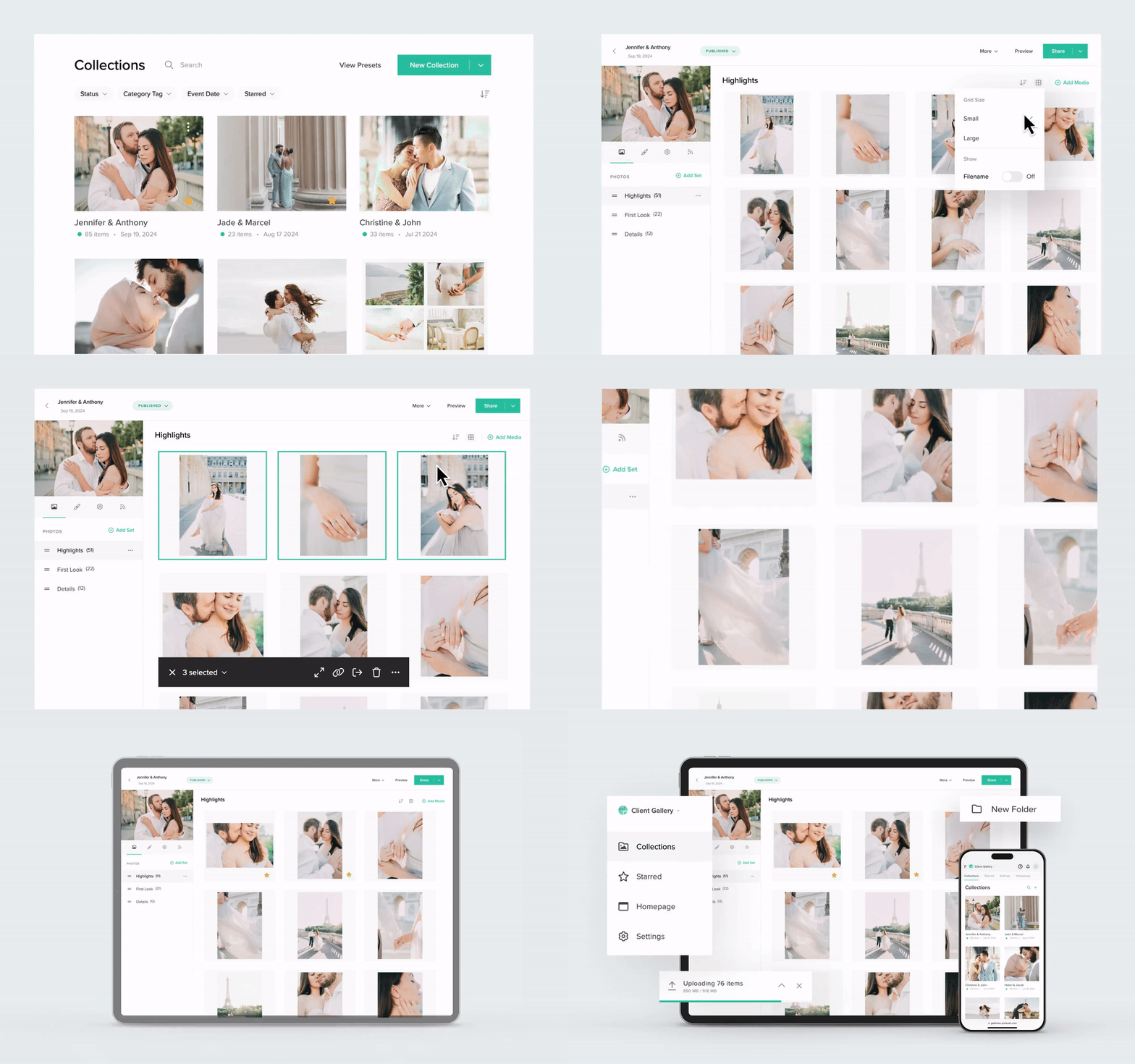
We recently rolled out the next-generation Client Gallery dashboard for all Pixieset users. Along with a fresh interface, we’ve introduced new features to help photographers streamline their workflow. Folders have quickly become a favorite, offering a smarter way to organize and share multiple galleries with clients through a single link. They’re especially useful for event and volume photographers who typically do multiple photoshoots for the same client or group. Keep reading to learn how to use Folders for your workflow, or head to your dashboard to create your first folder.
4 ways to use Folders in your photo-delivery workflow
Here are a few examples of how to integrate Folders into your photography business.
- Event photography. Use folders to organize photography work from large-scale events like sports competitions, music festivals, dance recitals, or multi-day conferences. Create galleries by day, artist, athlete, venue, performance time, etc., and add them to your event folder.
- School and team portraits. If you photograph for schools or companies, folders make it easy to deliver multiple galleries organized by classes, years, teams, departments, or photoshoot days. Simply share one link and students, families, or employees can find themselves and view only the gallery they need.
- Commercial photography. If you do extensive product shoots or ongoing campaigns for the same client, fashion brand, or magazine, folders are a helpful way to organize your final images. Upload individual galleries for each campaign, season, or product line. Group them into a folder so you and your clients can easily navigate through multiple photo sessions.
- Returning clients. If you often photograph returning clients and families for their important events and milestones, Folders will be an essential part of your workflow. Use folders to share all the family milestones of your regular customers. Organize client galleries by significant events such as engagement, wedding, maternity, newborn, mini-sessions, holidays, graduations, and more, allowing clients to revisit and cherish those special moments, all in one organized place.
4 benefits of using Folders
- Organize your work. Organize your work by grouping related galleries from an event or client, into a folder. This keeps everything centralized and easy to manage.
- Deliver multiple galleries with one link. Offer your clients a smoother experience by sharing multiple galleries through a single folder link. Whether it’s galleries you’ve created over the years for them, a multi-day event, or a product campaign, this makes viewing all the photos much easier.
- Prep ahead for events. Before photographing your next event, create a folder, generate a QR code for it, and include it in all marketing materials. After the event, participants can simply scan the code to access the folder and find the galleries and photos they're interested in.
- Easy sharing for volume photography. Volume and event photography involves multiple parties and end users, whose contact details you may not know, but who would surely love to see the photos you took. With Folders, you can share one link with the event coordinator, which contains galleries organized by day, team, or band. Then, they can easily share the relevant galleries with everyone else.
Why photographers love Folders
Here is what photographers who tried Folders say about this feature:

“I absolutely love the new Folders feature! As a wedding and family photographer, I have many returning clients. Now I can include multiple galleries in one folder making it easier to showcase their story, from their wedding to their first baby and many other memories all in one place. It makes organizing galleries easier for me and makes the client experience even better.”

"The introduction of Folders has allowed me to better organize my client galleries. Whether it is a portrait session, sports clients, or an event, Folders help me quickly find the appropriate galleries, all in one spot. No more scrolling through pages of galleries to find a sports gallery to update the season with a new game or update a Seniors gallery with seasonal photos! Can’t wait to see what other new features Pixieset has in store! Always improving and listening to their clients is why I love them so much!”

“I've used Pixieset for over the last 8 years managing my photography business and have always loved it. The new addition of the Folders in the Client Gallery has allowed me to organize and streamline collections to maximize sales, increase time management with one shared link, and allow clients to easily download and search in organized collections within the folder!"
Create your first folder in Client Gallery
Excited to try out this awesome feature? We can’t wait for you to explore Folders and enjoy a more organized and seamless way to deliver your work. To get started, head to Client Gallery, and click on the New Collection dropdown in the top right corner, and create a New Folder.
When it comes to privacy options, you can choose to display your folders on your Client Gallery homepage or keep them hidden. As always, you have full control over the settings for each collection within the folder, including design, download permissions, and privacy options. Learn more about Folders.

 Client Gallery