BLOG
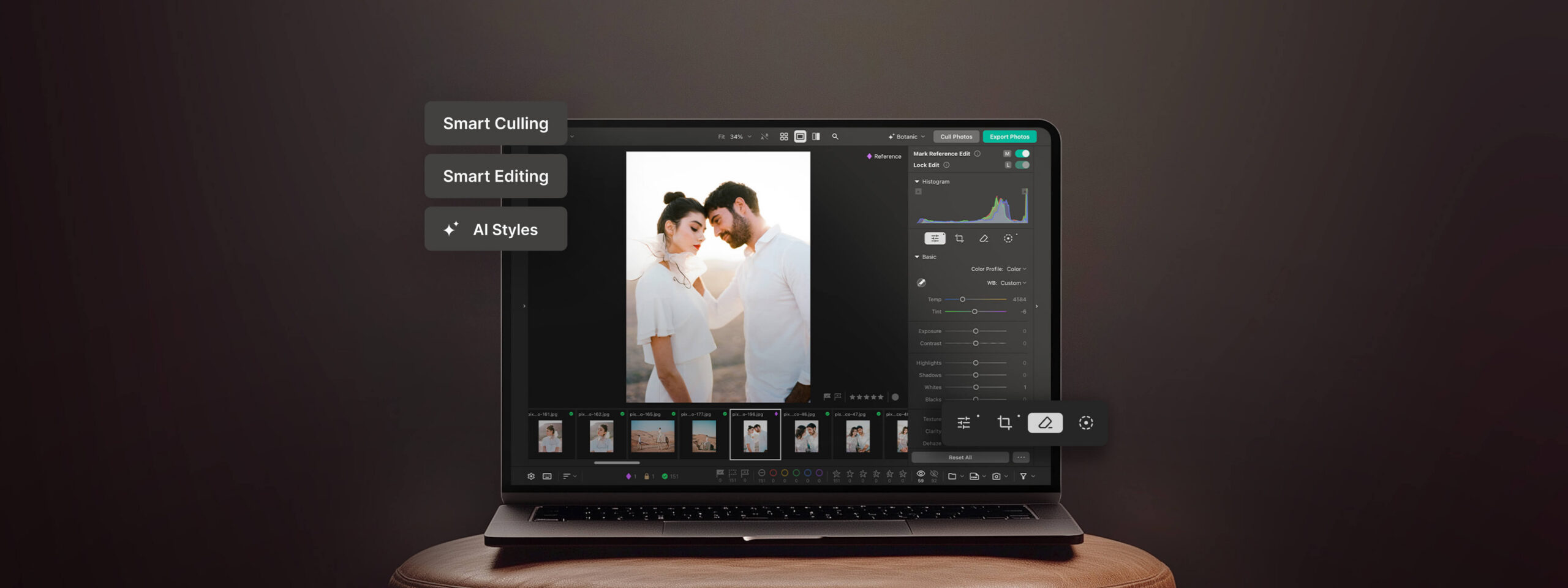
Introducing Pixieset Photo Editor! Cull, edit, deliver — all in one place

Imagine you’re in the middle of your busy season, you come back from a photoshoot, upload your photos into Pixieset, and in just a few minutes they’re culled, edited in your signature style, and ready in a final gallery. No long editing hours, no extra tools. Sounds like a dream? We are excited to announce that Pixieset Photo Editor, our complete edit-to-delivery workflow, is now officially available to everyone. From culling to editing to final delivery, you stay in full creative control of your edits, while AI helps you move faster, stay consistent, and deliver your signature look every time.
- RAW editing built right into Pixieset, from curves and masking to all your essential editing tools
- Batch edit with AI for fast, consistent results across all your photos
- Train personal AI Styles to deliver your signature look every time
- Use AI-assisted culling to quickly sort through hundreds of photos, and instantly identify keepers and rejects
- AI on your own device means most energy usage from your computer, and your photos and editing style stay private to you.
- Desktop and web app to match your preferred workflow
- Simple pricing with unlimited AI editing, starting at $12/month (USD). No per-image charges
Batch edit photos in your signature style
Your editing style is part of what makes your photography uniquely yours. Pixieset Photo Editor helps you apply that signature look across entire galleries faster, while keeping you in full creative control of the final result.
Get started with predefined AI styles, or train your own custom style using past galleries and selected photos. Pixieset Photo Editor will analyze your selected work to learn your editing preferences and create a style you can save and reuse across future sessions. And as you continue making final adjustments, it keeps learning your preferences to better match your unique look over time.
Cull through hundreds of photos in minutes
Sorting through hundreds of photos can quickly become one of the most time-consuming parts of a shoot. Pixieset Photo Editor simplifies the process with AI-assisted culling that analyzes your images in seconds, groups similar shots together, and helps identify keepers and rejects faster.
AI scores photos based on important details like blur, lighting, facial expressions, and closed eyes — while giving you full control over how strict or lenient those selections should be. You can also apply your own star ratings, color labels, and decide exactly which photos move into editing.
RAW editing built right into Pixieset
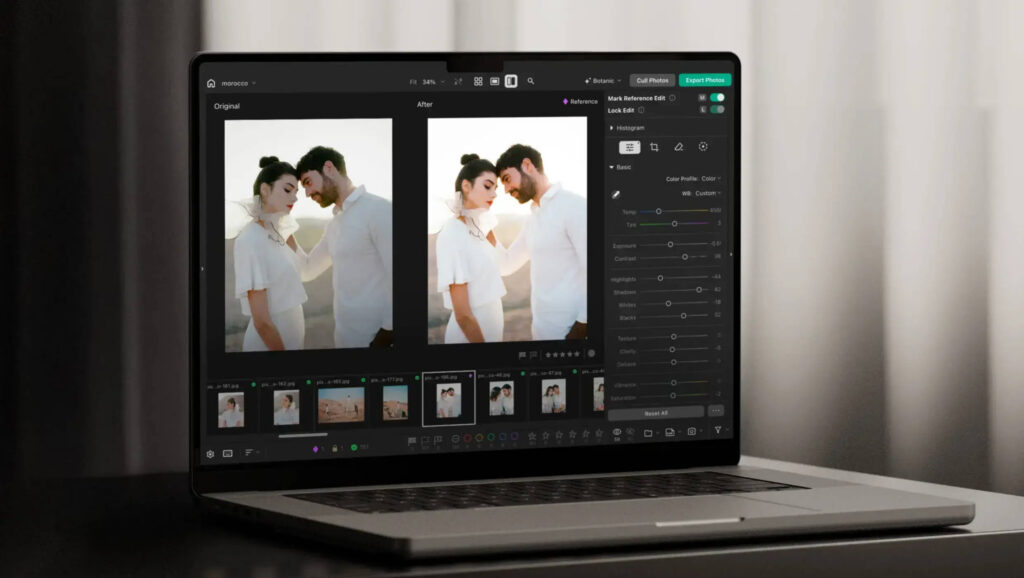
Pixieset Photo Editor is designed to help you edit faster while keeping you in full creative control. AI handles repetitive tasks like batch editing, masking, straightening, and syncing adjustments — while you stay in charge of every final decision.
Once your signature style is applied across a gallery, you can review images, make refinements, and batch apply changes to similar photos for a faster workflow, and a more consistent look.
Inside Photo Editor you’ll find:
- A full professional editing panel with controls for lighting, coloring, HSL, curves, detail, vignette, and everything else.
- Smart straightening and cropping that automatically fixes alignment and perspective.
- Adaptive AI masking that instantly selects subjects, backgrounds, and skies, while also supporting linear and radial masks.
- Reference photo syncing so you can transfer edits across similar images or lock specific edits when needed.
- AI-powered erase, heal, and generative tools to remove distractions and refine imperfections in just a few clicks.
And the more you edit, the more Pixieset Photo Editor learns from your adjustments to better match your style over time.
From photo culling to delivery, all in Pixieset
No extra apps. No complicated setup. Simply upload your photos and start working. Pixieset Photo Editor supports both RAW and JPEG files, making it easy to move from culling to editing to delivery without interrupting your workflow. When your photos are ready, publish them directly to a Pixieset gallery using your preferred settings, then deliver them instantly or schedule delivery for the perfect time.
Need additional file formats for a project? You can also export your images as TIFF or PSD files directly to your computer.
Get started with Pixieset Photo Editor
Try Pixieset Photo Editor for free. Simply open your dashboard, launch Photo Editor, and create a new project. You can watch a few tutorials to learn the basics, or jump straight into culling and editing.
Every account includes 100 export credits. To unlock unlimited exports, upgrade to a flat-rate subscription for $12/month (billed annually) with no per-image fees.
Even after you've used your initial 100 export credits, you can continue using Photo Editor's culling and editing features for as long as you'd like. All editing and culling tools remain available, so you can fully experience the workflow before deciding to upgrade.
FAQ
How does Pixieset Photo Editor use AI?
At Pixieset, we design AI features with intention to support your business and creativity, not replace them. As we introduce AI-powered tools to help streamline photographers' workflows, we want to be transparent about how we approach AI and how your work is protected.
- Local AI on your device — key AI features like AI Batch Editing and AI-assisted Culling run entirely on your own device, eliminating the need to upload photos to cloud servers for processing.
- Private AI you can trust — your photos, creative process, and editing style are private to you. Your photos and editing styles are never used to train large generative AI models.
What does Beta mean?
Beta for Pixieset means the product is fully functional and ready for real-world use, while we continue adding new features over the coming months. Hundreds of photographers already rely on Photo Editor as their go-to editing software for culling, editing and delivering photos today.
What features are on the roadmap?
Photo Editor is designed to give you all the tools you need to edit your photos professionally. Some of the key features you should expect next are:
- Retouching tools
- Denoising enhancement
- End-to-end workflow integrations
- And much more
Get started with Pixieset Photo Editor for free

 Client Gallery
 Store
Store 

 Website

 Studio Manager