BLOG

5 essential documents every photographer needs

Running a photography business involves more than taking photos and editing. Behind every smooth client experience is a set of documents that keeps everything clear, organized, and moving forward. From the first inquiry to final delivery, having the right documents in place helps you communicate expectations, get paid on time, and protect your work. Whether you’re just starting out or refining your workflow, in this article we will share the essential documents every photographer should have.
Why documents matter for your photography business
1. They set clear expectations
Documents help you get everyone on the same page early and avoid miscommunication. Instead of answering the same questions over email, you can clearly outline what’s included, how long things take, and what clients can expect from working with you. This reduces confusion and makes the entire process feel more straightforward.
2. They protect your work and your time
A contract isn’t just a formality, it defines how you work. From cancellation policies to image usage rights, having things in writing protects both you and your client. Invoices and payment terms also make it easier to avoid awkward follow-ups or missed payments, while questionnaires offer a streamlined way to collect important details.
3. They create a better client experience
When your process is structured, clients feel it. Sending a clear quote, a well-written contract, and a thoughtful questionnaire shows that you’re organized and prepared. And when your documents are on brand and can be filled out online, from any device - it builds trust before you even pick up the camera.
4. They save time as you grow
Once you’ve created a set of documents that works — save them as templates so you don’t have to start from scratch every time. Templates let you reuse what you’ve already built, so you can spend less time on admin and more time focusing on your creative work.

5 essential documents every photographer should have
The documents you use will vary depending on the type of photography you offer and the clients you work with. A wedding photographer may need detailed timelines and model releases, while a commercial photographer may rely more heavily on licensing agreements and quotes. No matter your niche, there are a few core documents that every photography business should have in place.
Contracts
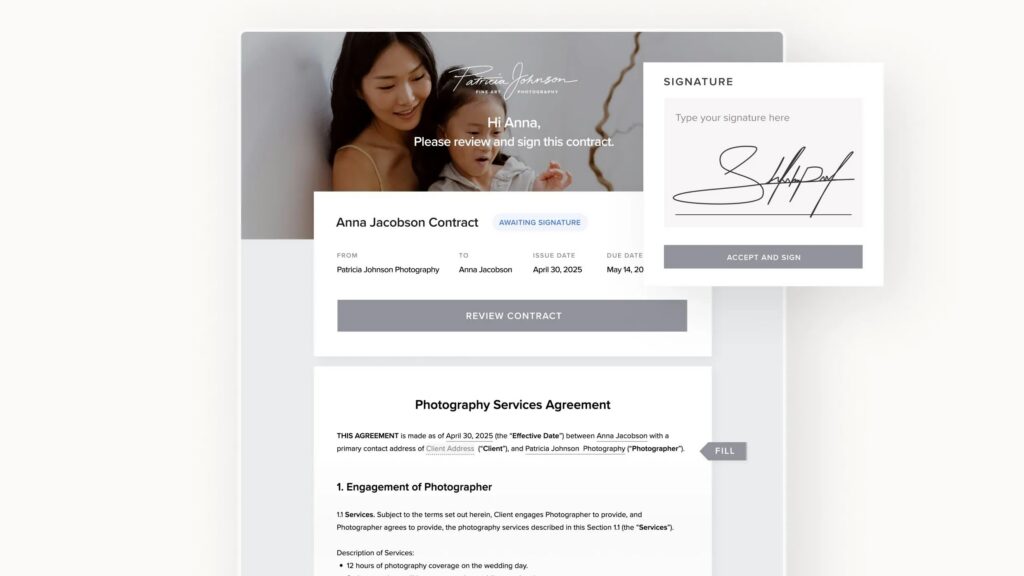
A photography contract outlines what you’re delivering, how the process works, and what happens if plans change along the way. This can include session coverage, turnaround times, payment schedules, cancellation policies, rescheduling terms, image usage, and more.
Without a contract, even small misunderstandings can create unnecessary stress for both you and your clients. With a contract in place, expectations are clearly defined from the beginning, so everyone knows what to expect throughout the project. Read our article on 12 essential things to include in a contract.
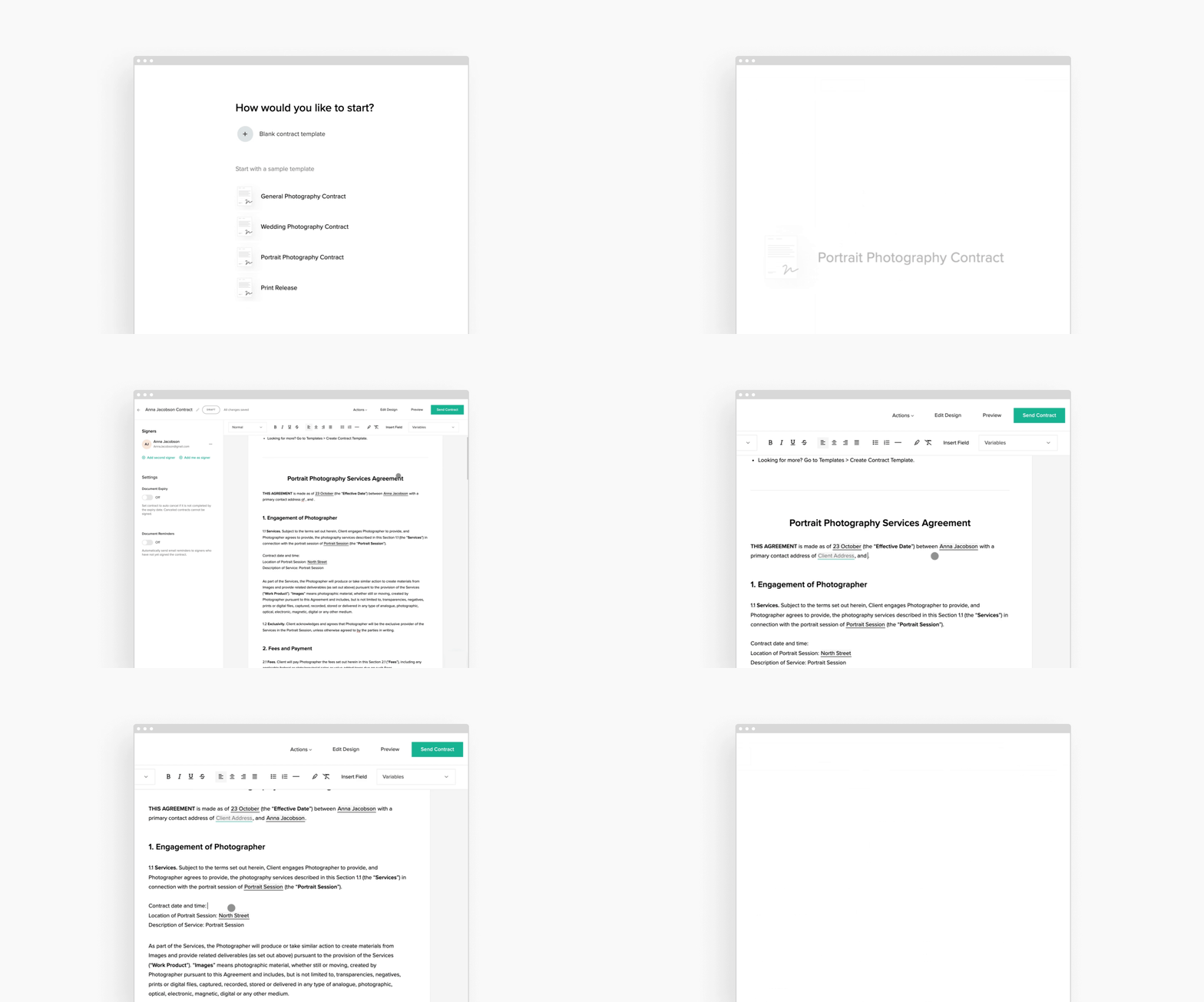
Inside Studio Manager, you can create digital contracts that clients can review and sign online from any device using e-signatures. To help you get started faster, Studio Manager also includes free sample contracts that you can personalize based on your services, workflow, and legal requirements. Once your contract is ready, you can save it as a template and reuse it across future bookings.
Invoices
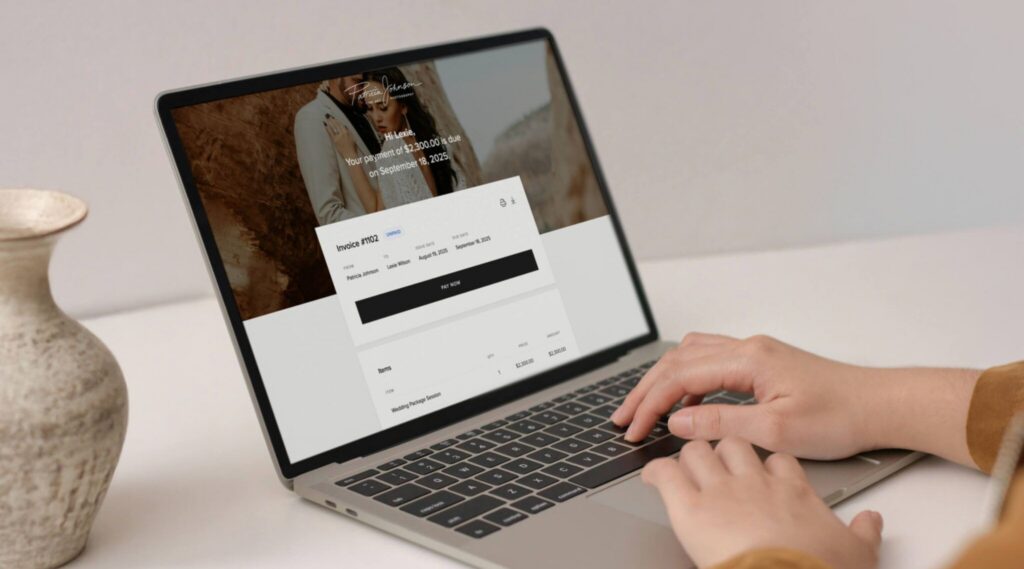
Whether you require a deposit to secure a session, ask clients to pay in full upfront, or split payments into multiple installments, invoices make it easy to outline payment amounts, due dates, and remaining balances. You can even include an invoice as part of your booking workflow, making it easier to collect payment without adding extra steps for your clients.
With Pixieset Studio Manager, you can create and send professional digital invoices directly to clients. Each invoice includes a clear breakdown of pricing, payment schedules, and due dates, helping clients understand exactly what they’re paying for and when payment is expected. Studio Manager also helps you stay organized behind the scenes. You can track invoice statuses, keep records of completed payments, and manage your transactions in one place, making it easier to stay on top of your business finances as your workload grows.
Discover 9 ways to get paid as a photographer through Pixieset.
Quotes
A quote is often the first step toward securing a booking, especially for weddings, events, commercial projects, and other services where pricing may vary based on the client's needs. Rather than exchanging multiple emails to discuss packages and pricing, a quote gives clients a clear overview of the available options in one place. It allows you to present your services, highlight add-ons, and outline costs before any commitment is made. With all the information in front of them, clients can compare options, make decisions faster, and move forward with confidence.
With Pixieset Studio Manager, you can create professional quotes that include multiple packages, optional add-ons, and custom pricing. Clients can review their options and select the services that best fit their needs. Once a quote is accepted, an invoice is automatically created in Studio Manager. Thus allowing for a seamless transition into the next stage of your booking workflow with less manual work.
Looking for ways to create more effective quotes? Check out our guide with tips for creating effective photography price quotes.
Questionnaires
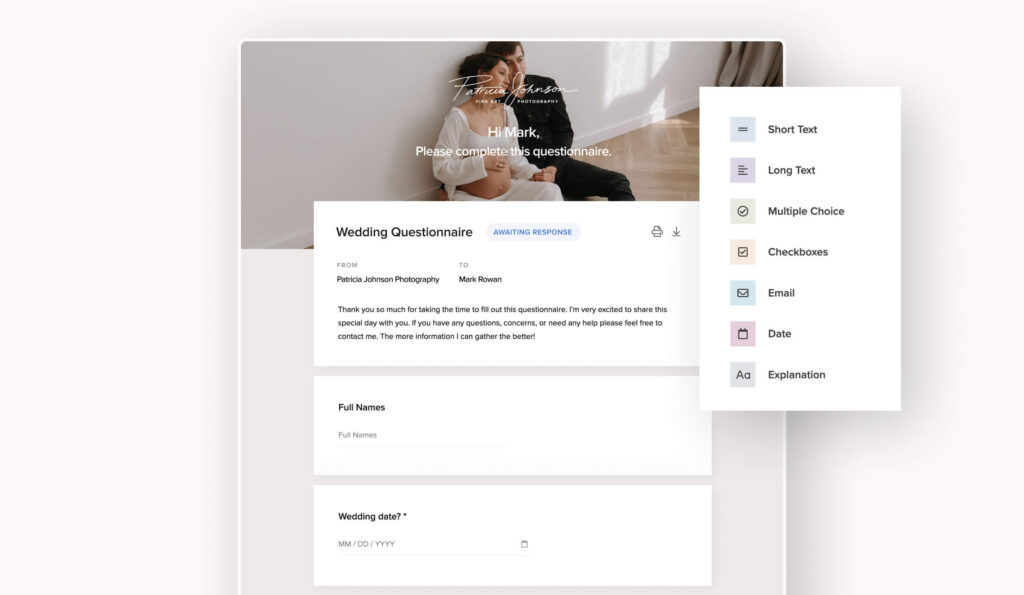
The more you know before a session, the better prepared you can be to create an experience that feels personal and tailored to your client. Questionnaires help you gather important details ahead of time, from location preferences and timelines to family dynamics, must-have shots, and special requests. Having this information in advance means you can spend less time asking questions on the day of the shoot and more time focusing on your clients and creating great images.
Questionnaires are valuable for weddings, events, family sessions, and lifestyle photography, where small details can make a big difference. Learning your clients' priorities beforehand helps you anticipate important moments, avoid surprises, and deliver a more thoughtful experience from start to finish.
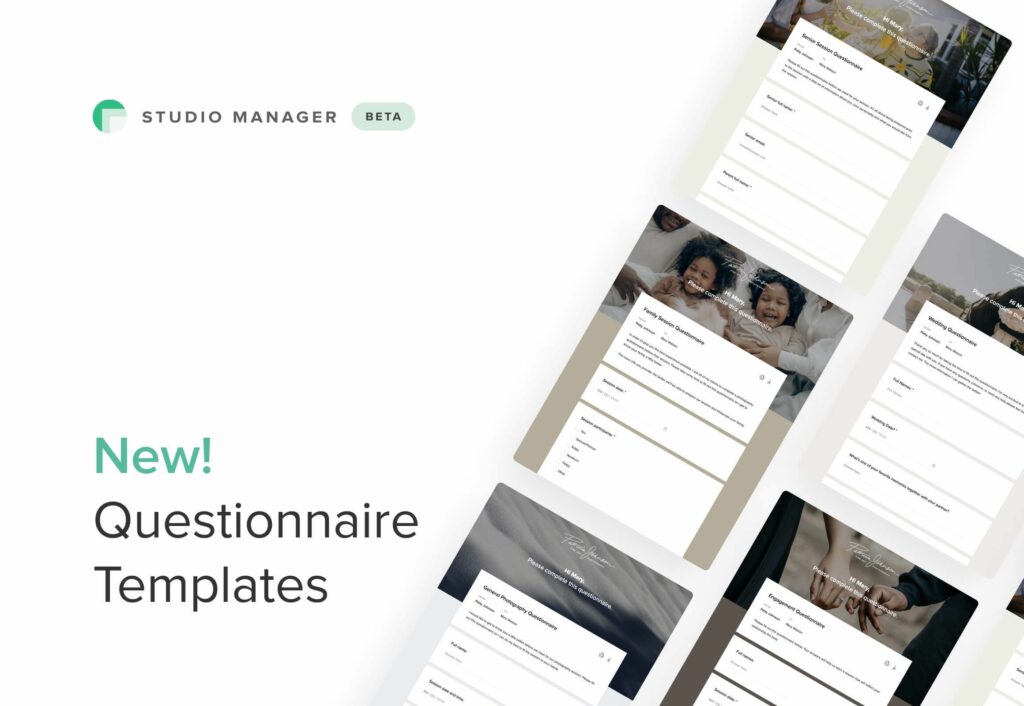
With Pixieset Studio Manager, you can send online questionnaires directly to clients and keep all responses organized in one place. To help you get started, Studio Manager includes free questionnaire samples that you can customize to match your workflow and client experience. Once you've refined your questions, save them as templates and reuse them across future projects. You can even include questionnaires as part of your booking workflow, making it easier to collect information without adding extra steps for your clients.
For more inspiration on what type of questions to include in a questionnaire, check out our article.

Model releases
A model release gives you permission to use and publish photographs of a client or subject beyond personal delivery. If you plan to share the photos on your website, social media, blog, marketing materials, or portfolio, having a signed model release helps ensure everyone understands how the images may be used.
Model releases are important for commercial, branding, and marketing photography, where images may be used to promote a business, product, or service. In these cases, having clear permission is usually a requirement before the images are published or used in advertising.
With Pixieset Studio Manager, you can create and send digital model releases for clients to review and sign online from any device. Like contracts, model releases can be saved as reusable templates, making it easy to include them in your workflow whenever you need permission to share your work.

Other helpful documents for photographers
As your business grows, you may find it useful to add a few more documents to support your workflow. These aren’t always essential for every photographer, but they can make a big difference depending on your niche and the type of work you take on. Here are a few for you to consider:
- Shot lists — a list of specific photos, moments, groupings, or details you want to capture. They are especially helpful for weddings, events, and commercial shoots where there are key images you don’t want to miss. You can collect shot list requests through a questionnaire, or create a dedicated gallery with inspiration photos and reference images that the client can pick, before the session.
- Timelines — a schedule that outlines when important parts of a shoot or event will happen. Timelines help keep everyone aligned and ensure key moments aren't missed. For event-based photography, you can include timeline details directly in your contract or collect them through a questionnaire as part of the planning process.
- Welcome guides — a client-facing guide that explains your process, what to expect, and how to prepare for the shoot. They are helpful for answering common questions and creating a smoother experience before the session. While many photographers create welcome guides as PDFs, you can also create a dedicated page on your photography website and share it with clients after booking. This makes it easy to keep information up to date and include helpful resources, galleries, or booking details in one place.
- Licensing agreements — a document that outlines how images can be used, where they can appear, and for how long. These are important for commercial, editorial, or brand photography where usage rights need to be clearly defined. In many cases, licensing terms can be added directly to your contract, while more complex projects may require a separate agreement.
- Second shooter agreements — an agreement between you and another photographer assisting on a shoot. Use it to clarify responsibilities, payment, image ownership, and how the photos can be used afterward. These can easily be created using a contract template and customized for each collaboration.
- Print releases — a document that grants clients permission to print their photos for personal use. While many photographers include print permissions in their contracts, a separate print release can be useful when clients want a simple document to provide to third-party print labs or retailers. It also helps clarify the difference between personal printing rights and commercial usage rights.
Managing your documents in Pixieset Studio Manager
Studio Manager is a CRM built specifically for photographers who want a simpler way to manage their business. From sending contracts to collecting payments, it helps you keep your client workflow organized and efficient. Here are five ways Studio Manager makes managing documents easier.
#1 Keep everything in one place
Create and send contracts, invoices, quotes, and questionnaires directly to your clients from a single platform. Instead of switching between multiple tools, every document stays organized within the client's project, making it easy to see what's been sent, signed, approved, or paid.
#2 Start with ready-made samples
Studio Manager includes free sample contracts and questionnaires that you can use as a starting point. Customize the wording to fit your services, workflow, and business needs, then save your changes for future use. It's an easy way to create professional documents without starting from a blank page.
#3. Build your own document templates
As your workflow evolves, you can create templates for each type of document you need. Templates reduce repetitive work and help you stay consistent across every client. Over time, templates become a reliable system that supports your entire booking workflow. Learn how document templates can improve your photography workflow.
#4 Create a branded experience
Every interaction with a client is an opportunity to reinforce your brand. With Studio Manager, you can customize documents with your logo, brand colors, and header images to create a more polished and professional experience. From the first quote to the final invoice, your documents feel like a natural extension of your business.
#5 Manage your business from anywhere
Photography doesn't happen behind a desk, and your business tools shouldn't be tied to one either. With the Studio Manager mobile app you can send documents, sign contracts, update quotes, review questionnaires, and manage clients directly from your phone. Whether you're between shoots, traveling, or meeting clients, you can keep your business moving without having to wait until you're back at your computer. The Studio Manager mobile app is free for all users and available on Google Play and Apple Store.

Build a workflow that supports your photography business
The right documents do more than keep your business organized, they help you communicate clearly, create a better client experience, and spend less time managing admin tasks.
You don't need every document on this list from day one. Start with the essentials, such as contracts and invoices, then add additional documents as your business evolves and your workflow becomes more established. The goal is to create a process that works for you and supports the way you serve your clients.
With Pixieset Studio Manager, you can create, send, and manage your most important client documents from one place. From the first quote to the final invoice, everything stays connected, helping you deliver a professional experience while keeping your business running smoothly.

 Studio Manager