BLOG

Introducing Pixieset Payments for Studio Manager

Today anything can be purchased online with a digital wallet, credit card, or buy-now-pay-later options. So why should paying for photography services be any different? Offering a convenient way for clients to pay isn’t just about efficiency — it enhances their experience and increases your chances of getting booked.
We’re thrilled to introduce Pixieset Payments, our built-in payment solution designed to help you streamline your business, get paid quickly and securely, and manage all transactions in one place — your Studio Manager dashboard.
Pixieset Payments is available in the US and Canada.
Quick and secure online payments
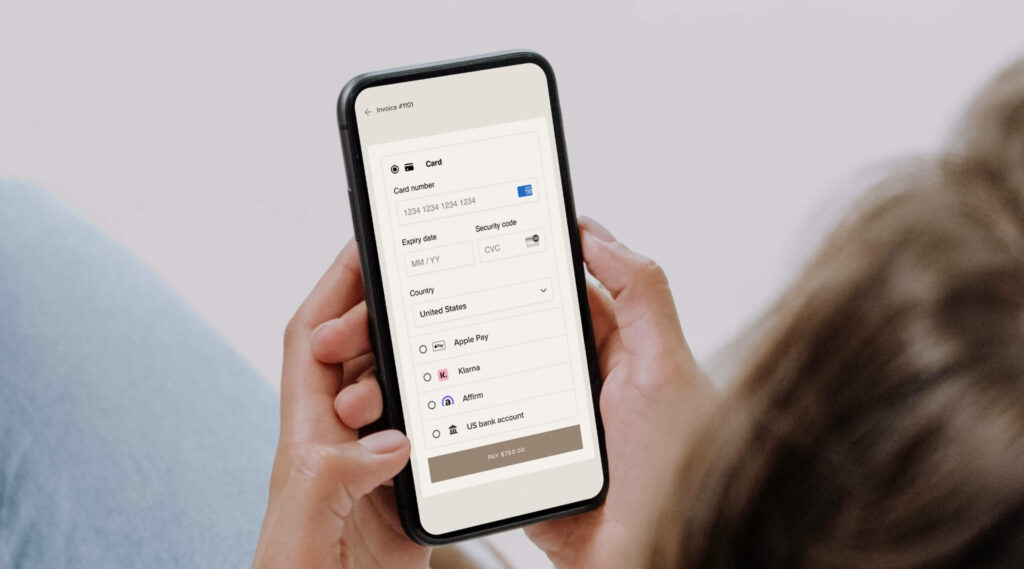
Forget the hassle of jumping between tools to create invoices and coordinate payments. With Pixieset Payments, you can offer clients a quick way to pay for your services through a secure checkout. They can pay by card, Apple Pay, Google Pay, or even choose a buy-now-pay-later option like Klarna or Affirm.
Whether you're sending an invoice or accepting payments through your booking site, everything is built into Studio Manager to help you save time and get paid with ease.
Wider range of payment options for clients
The easier you make it for clients to pay, the more likely they are to book a session. Whether they prefer a credit card, Apple Pay, or a bank transfer, offering flexibility builds trust and increases your chances of getting booked. With Pixieset Payments, you can accept:
- Credit & debit cards – Visa, Mastercard, American Express, Discover, and more
- Digital wallets – Apple Pay, Google Pay, and Link
- Buy now, pay later – Affirm & Klarna
- ACH bank transfers – available for US-based users
You can customize your payment settings in Studio Manager at any time to accommodate your and your clients’ needs.

One place to manage all transactions
The beauty of using Pixieset Payments is that you can set up, manage, and track everything related to payments straight from Studio Manager. No need for third-party tools or complex spreadsheets.
- Track earnings — view paid and pending invoices, get a breakdown for transactions (e.g. card details, net profit), and enjoy a yearly, quarterly, and monthly summary of your total revenue.
- Review payouts — check your total balance, past and upcoming payouts.
- Manage disputes — receive notifications for disputes and submit supporting documents directly through Pixieset.
- Issue refunds — process full or partial refunds for invoices and session payments in just a few clicks.
By managing all your transactions in one central place, you save time, simplify your workflow and stay on top of your business finances.
More features to help you get paid
When invoicing clients through Pixieset Studio Manager, you have all the tools you need to provide a smooth experience and get paid on time:
- Offer payment schedules — let clients pay in installments for larger packages, or use payment schedules to collect a deposit/retainer up front.
- Set up automatic payment reminders — turn on automated reminders so clients get follow-up emails and pay on time.
- Collect tips when invoicing — add a tip option to any invoice, giving clients the choice to include 5%, 10%, 15%, or a custom amount on top of their payment.
- Add tax details — include tax information directly into your invoice to clearly communicate any additional charges.
- Offer discounts — apply a discount to the items in your invoice if you want to offer a special deal to a new or returning client.
- All currencies - choose to get paid in your preferred currency.
Learn how to create and send invoices through Studio Manager.

Getting started with Pixieset Payments
Pixieset Payments is available in the US and Canada. Go to Studio Manager > Settings > Payments, and follow the steps to set it up. Need a walkthrough? Check out this detailed tutorial.
New to Studio Manager?
With Studio Manager you can run your photography business in a simple, organized way from your computer or from your phone with the Studio Manager mobile app. Create and send invoices, contracts, questionnaires; get paid; book clients online; send emails and keep everything organized with projects. Try Studio Manager in your dashboard.

FAQS
What are the benefits of choosing Pixieset Payments?
- Seamless integration: Manage payments within Pixieset — no switching platforms or accounts. Everything is connected to Studio Manager for easy bookings, contracts, invoices, and payments.
- Flexible payment options: Your clients can choose from a variety of methods, including features such as buy-now-pay-later, giving them flexibility and ease.
- Pixieset support: Enjoy our top-tier support — our team helps you directly, without needing to navigate Stripe’s system.
- Access on-the-go: Manage payments and track payouts through the Studio Manager mobile app.
How are payments processed?
Payments through Pixieset Payments are securely processed via Stripe, a trusted payment processor. When a client makes a payment, the transaction is handled by Stripe’s industry-leading technology, ensuring both security and compliance. You can track all transactions, manage payouts, and access reporting — all from within Pixieset. This streamlined, integrated approach makes it easy to handle everything from invoices to payments without switching between platforms.
What happens if I have an existing Stripe account?
If you're switching from Stripe, don't worry! You can continue to accept payments while we handle the transition. Once your Pixieset Payments setup is complete and verified, your old Stripe account will be disconnected. Your payment history and client data will remain accessible on Pixieset, and you’ll be able to manage any previous Stripe payments directly on stripe.com.
When will I receive my funds?
Your first payout typically takes 7 days due to Stripe’s verification process. After that, payouts follow your country’s standard timeline: 2 business days in the U.S. and 3 calendar days in Canada.

 Website
 Store
Store 


 Client Gallery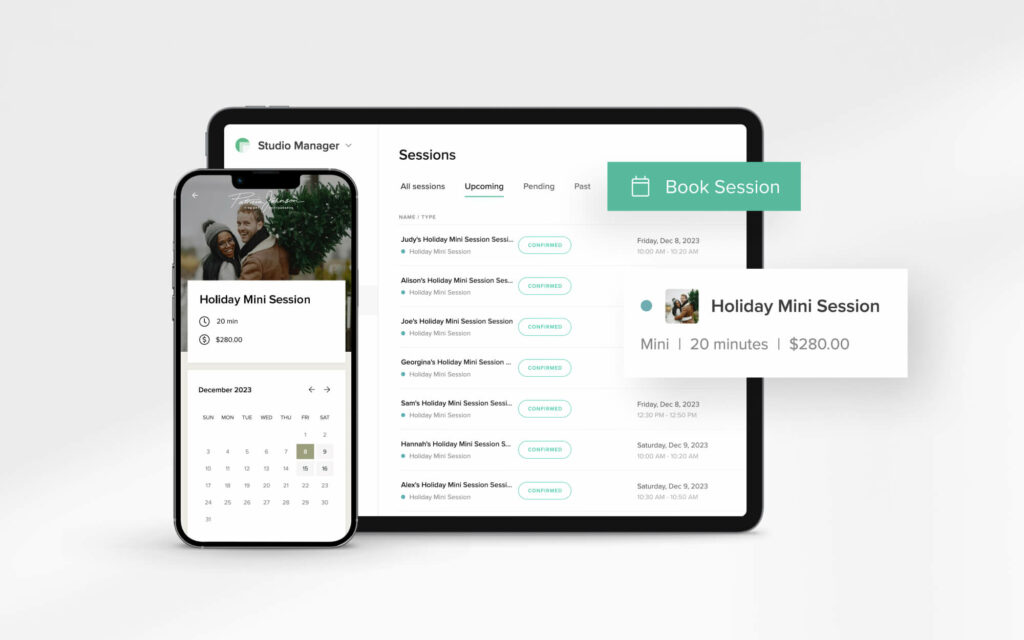
 Studio Manager