BLOG

9 ways to get paid as a photographer through Pixieset

Getting paid as a photographer shouldn’t be complicated. But if you’ve ever chased down a late payment, juggled invoices, or had an awkward conversation about money, you know how stressful it can be. That’s why having reliable ways to get paid on time is key — so you can focus on your photography instead of tracking payments and following up with clients. In this article, we’re sharing 9 ways to get paid as a photographer through Pixieset, and enjoy a smooth, stress-free process.
Best payment practices for photographers
First, let’s go over some common industry practices that will help you get paid fairly and on time, while offering a professional payment process. These practices will protect your time, support your photography business, and help maintain strong client relationships.
- Set clear pricing. To avoid any confusion and ensure transparency, list your packages, rates, and add-ons clearly on your website or in a pricing guide that you send to clients who inquire.
- Always use a contract. Protect your business with a written agreement that outlines your services, payment terms, and what both parties are responsible for. It sets clear expectations from the start: what’s included, when it’ll be delivered, and what happens if something doesn’t go as planned, so there’s no room for misunderstandings. With Pixieset Studio Manager, you can create and send professional digital contracts that clients sign with an eSignature — anytime, from any device. Need help getting started? Check out this article for 12 essential things to include in your photography contract.
- Request a deposit. A standard industry practice is to request a retainer. It secures the booking, helps prevent last-minute cancellations, and shows that both you and your client are committed. It also gives you peace of mind knowing you're covered for holding their date.
- Set a late fee policy. Let your clients know upfront about any late fees, so there are no surprises if payments are late. This encourages punctuality, and ensures that you get paid faster for your work. You can also offer a small grace period to give clients a little extra time before the fee kicks in.
- Offer multiple payment options. Give the client several payment options to choose from. These can be credit and debit cards, PayPal, digital wallets, bank transfers, and Buy Now, Pay Later (BNPL) options. Thus, the client can pick the most convenient method that works for them.
- Communicate openly. If you’re working with a client who’s having trouble paying on time, have an honest conversation about it. Sometimes offering an extension or working out a payment plan can help keep things friendly, ensure you get paid, and maintain a positive relationship.

9 ways to get paid as a photographer through Pixieset
1. Send invoices for each session
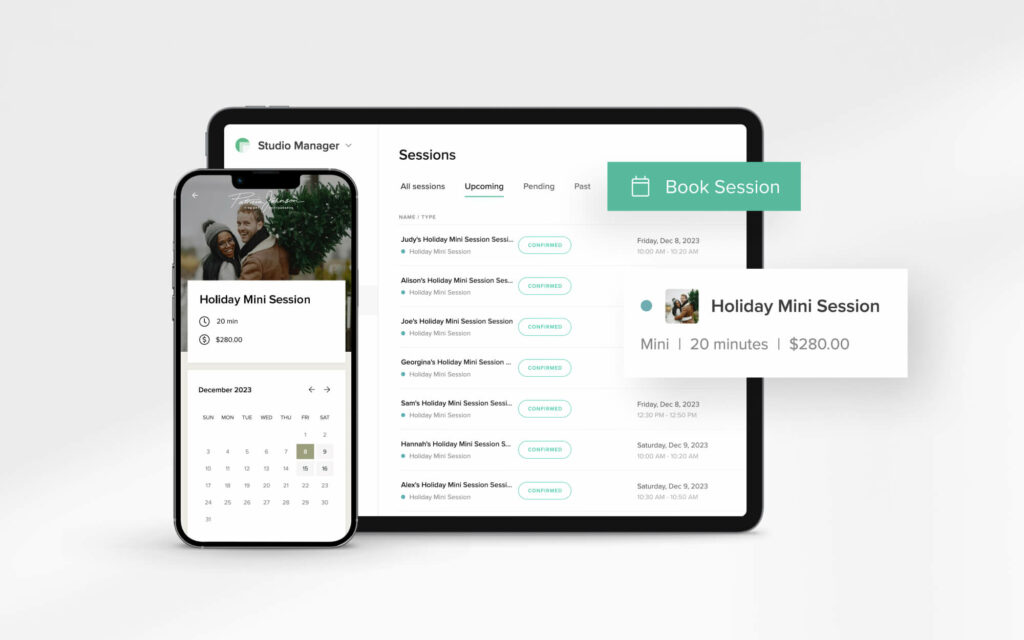
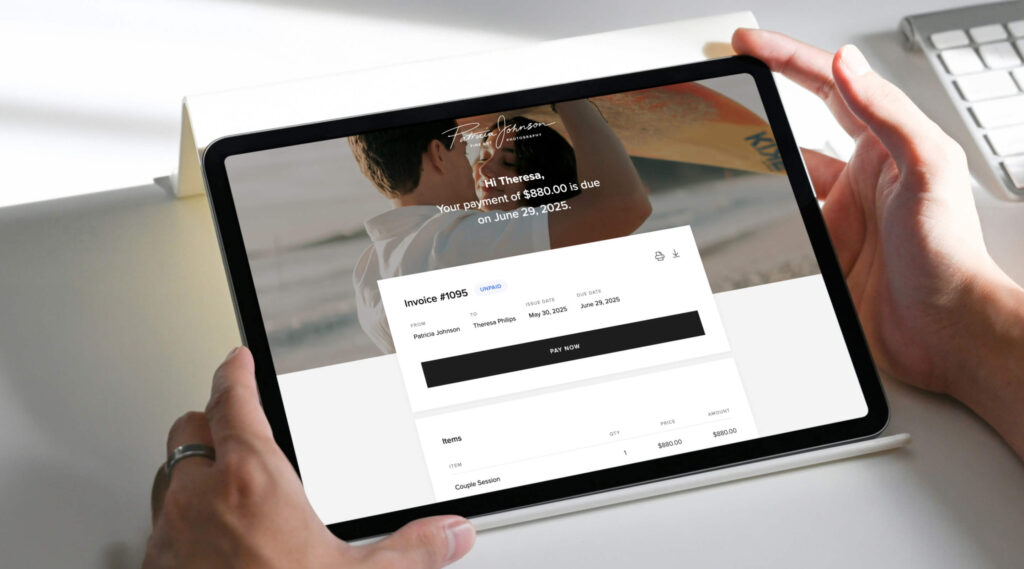
Pixieset Studio Manager lets you create and send professional digital invoices to clients — an easy and secure way to get paid for your photography work. Each invoice includes a clear breakdown of payment details, as well as a due date to encourage clients to pay on time. Invoices also help you have a record of your transactions, making it easier to track your income for accounting and tax purposes. Here are a few invoice tips to help you get paid faster:
- Set automated payment reminders to reduce the back-and-forth communication. With Pixieset, you can schedule follow-up emails to be sent before, on, and after the invoice due date.
- Offer the option to pay in installments to help clients budget for larger packages, or to secure a deposit/retainer. You can create a payment schedule with up to 12 installments.
- Allow multiple payment methods with each invoice so your clients can choose their most convenient one. They can pay online with a credit or debit card, digital wallet, PayPal, or if you collect cash, checks, bank transfers — you can manually record the payment in your dashboard.
- To save time, create your own invoice templates. Have templates for the various types of services you offer, the payment methods you allow, tax, tips, and other settings pre-configured. Next time you need to invoice a client, select the template, add the client’s name and payment due date, and send it off. Pixieset lets you create templates for other documents too, like contracts, quotes, and questionnaires.
Learn more about creating and sending invoices with Pixieset.
2. Integrate payments into your booking flow
Whether you decide to collect a partial hold-the-date payment or the full session fee upfront, you can add this step right into your online booking process. When a client books through your booking site, they’ll be prompted to pay in order to secure their booking. This makes the whole booking experience smoother and quicker for both you and your clients. You can also require clients to complete a questionnaire and sign a contract as part of your booking flow, so you get everything you need in one step.
3. Activate Pixieset Payments
Pixieset Payments is our newest built-in payment system for photographers, powered by Stripe, to help you get paid online — quickly and securely. Let clients pay for your services from their phone or computer using popular methods such as credit cards, Apple Pay, Google Pay, and Buy Now, Pay Later options such as Link, Affirm, and Klarna. This feature is available to users based in US and Canada. Learn more about Pixieset Payments.
4. Sell add-on services
Offer your clients additional services for their sessions, such as hair and makeup styling, extra outfit changes, or additional shooting locations. With Payment Links in Studio Manager, you can create a simple, branded payment page to collect payment for any add-on. The best part? You can reuse the same link with multiple clients and share it anywhere — on your website, in emails, or through social media.
5. Accept in-person payments
Need to get paid right after a session? With the Tap to Pay feature in the Studio Manager mobile app, you can accept payments in person, right on your phone — no extra hardware needed. Just pull up the invoice and let your client tap their card, phone, or smartwatch to pay instantly. Learn more about Tap to Pay on Pixieset.
6. Sell digital images
Selling digital images is a simple way to increase your revenue for each session without adding more work to your plate. If your package includes a set number of edited images (for example, 20), you can share the full gallery with your client and limit the number of free downloads to match your package. This way, they can view all the photos and choose which 20 they'd like to keep. With Pixieset, they can purchase extra images or even the full gallery with just a few clicks. It’s a simple way to enhance your client’s experience while making your sessions more rewarding/profitable. Read more about how to sell photos with Pixieset.
7. Include prints into your package
As a photographer, you want your clients to walk away with something real — something they can hold, frame, or flip through years from now. Instead of hoping they’ll order prints later, try including these right in your package. Whether it’s a few fine art prints, a framed portrait, or a custom album, including print options right from the start makes the experience feel more complete, especially for families, weddings, and mini sessions. With Pixieset Store, you can offer clients a print credit or gift card, covering the value of the prints you’ve promised as part of the package. Clients can use it to order prints of their favorite photos right from the gallery. It’s simple for them, and a thoughtful way for you to deliver even more value while increasing your income. Learn more about setting up gift cards and print credits for your store.
8. Collect tips after gallery delivery
After delivering a gallery and receiving that excited “we love the photos!” message, some clients may want to tip you as a thank-you for the experience. Have a Payment Link ready with tipping options that you can easily share. Add it to your email or website so clients can quickly and conveniently send a tip (view demo example).
9. Sell workshops, presets, or anything else
If you offer educational content or sell presets, Payment Links make it easy to collect payments and generate passive income. Just create a link, set your price and payment methods, and share it with your audience. All transactions are automatically tracked in your Studio Manager dashboard.
Other Pixieset tools that support photographers
Now that you know a few simple ways to boost your income and simplify payments, here are some additional Pixieset tools to help you grow your business and make your photography workflow even easier:
- Studio Manager — manage everything from bookings and payments, to contracts and client communication, all in one place. With Studio Manager you spend less time on admin work, and more time creating. Now also available as a mobile app, you can run your photography business from your phone and stay connected wherever you are.
- Client Gallery — deliver photos, videos, GIFs, PNGs and RAWs through elegant, branded photo collections. Clients can view, download and even proof photos right inside the gallery, making your collaboration a smooth and easy process.
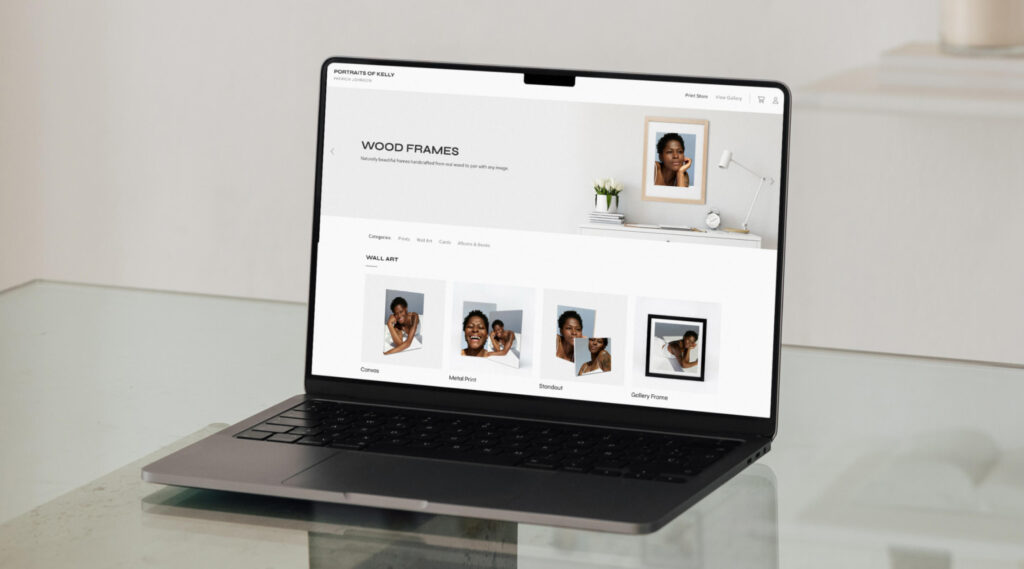
- Online Print Store — connect it to any photo collection or set up a standalone shop to sell your best work as prints. From framed prints and canvases to albums and greeting cards, clients can order directly from their gallery and have them delivered to their doorstep. You can also sell digital photos through Pixieset Store.
- Website — create a beautiful, professional website that showcases your work and services, and helps potential clients find you. With ready-to-use templates tailored for photographers you can create a brand new website in a matter of hours. No coding or design experience needed. The website integrates seamlessly with your Pixieset galleries, making it easy to pull your best work and showcase it across pages and blogposts.

New to Pixieset? Sign up for a free account and enjoy all the tools you need to grow your photography business.
Create a free account on Pixieset and grow your business with purpose

 Studio Manager